

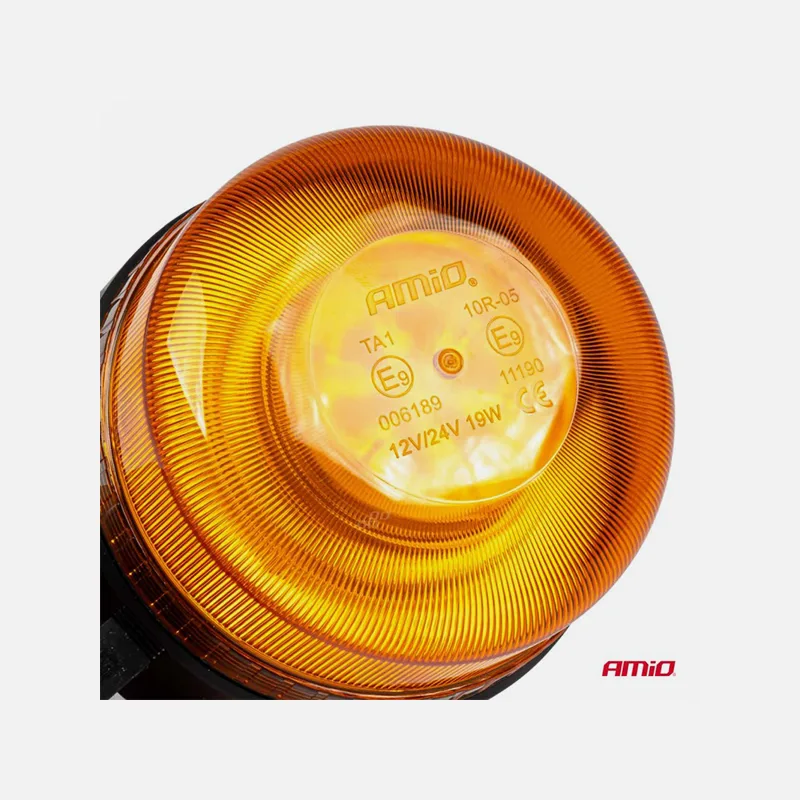





Description
Warning LED beacon SM812LC-XR
The user manual is part of this product. It includes and provides
important information on safety, use and disposal. Before use
product, read this manual and keep it for future reference!
SAFETY RULES:
- never look directly at the beacon due to the risk of eye damage
- use as intended
- install only in specialized services
TECHNICAL PARAMETERS:
- in accordance with ECE R65, ECE R10, SAE standards
- Number of LEDs: 39, 19W
- Controller distance: up to 60 meters (P/N:03932, SM812LC-XR)
- Degree of protection: IP66, seal prevents water ingress
- Temperature range: -30°C to +50°C
- Built-in lithium battery (7.4V, 4000mAh, 29.6Wh)
- Full charge in 4 hours allows 8 hours of operation.
- Charging via USB type C, input 5V, current 2A, with display:
4 LEDs on, state of charge ≥ 75%
3 LEDs on, state of charge ≤ 75%
2 LED lighting on, state of charge ≤ 50%
1LED is on, charging status ≤ 25%, charge as soon as possible
HOW TO USE:
Press the “Power” button on the light to activate it:
- Turn the power on or off.
- Change the Single Flash or Double Flash patterns.
REMOTE CONTROL:
- Connection: Press the “ON” button on the remote control for 3 seconds
within 10 seconds of turning on the light to connect it. When the display
it stabilizes for 1 second and then starts flashing again, the connection was you !supportFootnotes]–> formed.
- Power on and off: Press the “ON” button on the remote control
turn on the light. Press the “OFF” button to turn them off. The button is do steps for single and double flashing when the light is on.
These operations should succeed.
- Disconnect: To disconnect the remote control from the light, press tla “OFF” label on the remote control for 3 seconds to 10 seconds from za light voltage. The display will stabilize for 3 seconds and the remote control will no longer be connected to the lamp.
- Sleep mode: Press the power button on the light for 5 seconds to activate power saving mode and extend battery life. Remote owls data will not be able to control the lamp unless sleep mode is activated.
- Activate sleep mode: Simply press the power button on the light continuously for 5 seconds to reactivate the light and the remote is ready to reconnect to the light.


